Personal
The world needs a better Farkle app
Farkle is an old dice game with complicated scoring that I play several times a week. There were limited options in the App Store for a decent scoring companion, so I decided to build my own.

The new start screen: set up a game in one sentence, then poke a pit of crowned animals who bounce, squish and talk back.
Challenge
My wife and I discovered Farkle at a toymaker's shop in St. Augustine and immediately fell in love. Farkle is a push-your-luck dice game created sometime in the 17th century. Scoring happens with a set of six dice, with the winner being the first to score 10,000 points.
Approach
Existing Farkle scoring apps were too complicated and looked terrible. I wanted something fun and easy to use every day, something with personality and that made scoring super quick.
I knew very little of iOS development, so I used Claude Code to help me bootstrap a prototype that I could test with friends and family.
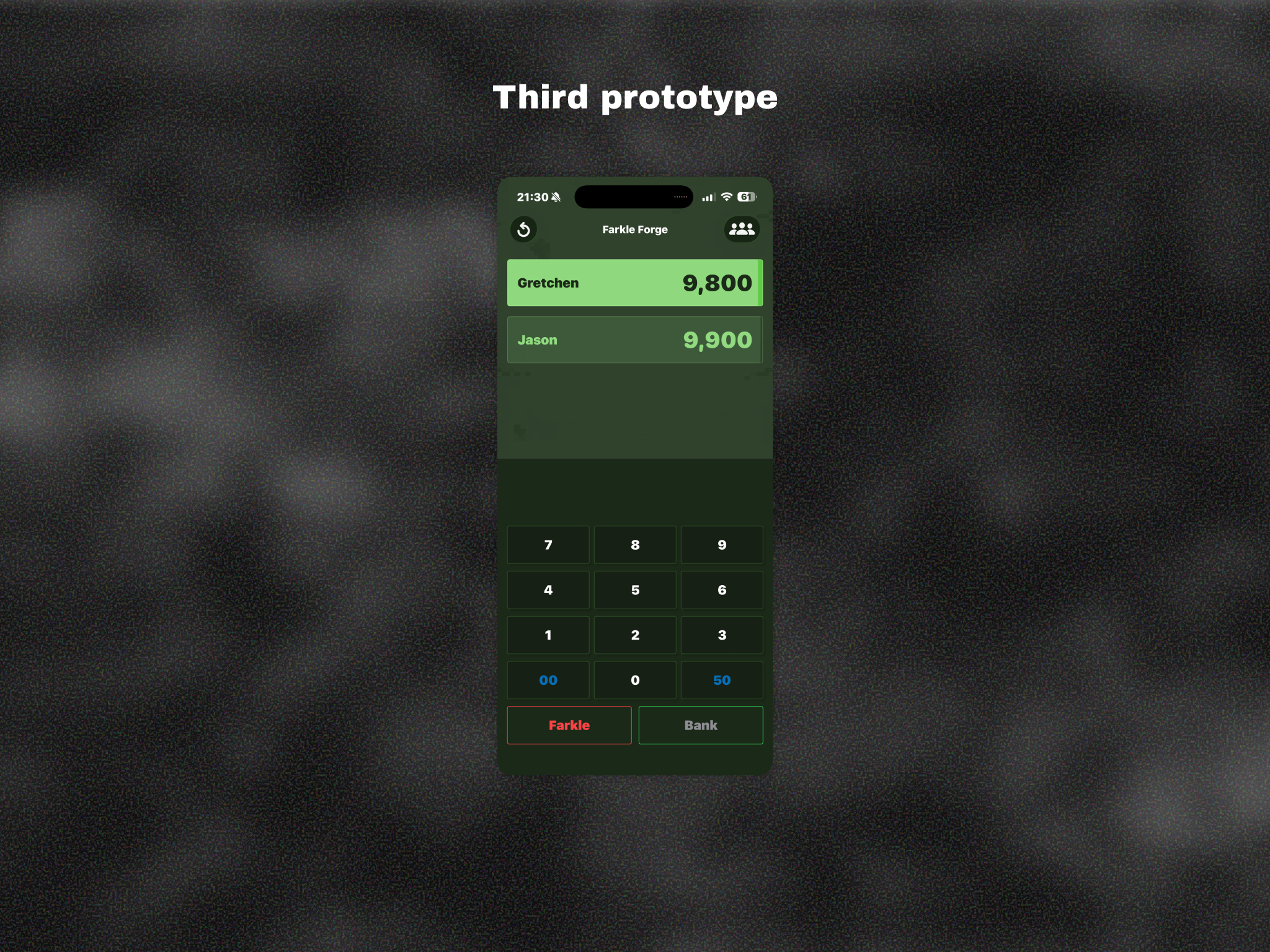
A few rounds of prototypes created in Xcode got plenty of play testing with friends and family.
Version 2
Version 1 worked, and we played it almost every day, but it still felt like a scoring utility with a pixel-art skin. For version 2 I rebuilt nearly every screen around one idea: the app is about the animals. The UI stays minimal, and the motion, sound and copy carry the personality.
Setup is now a single sentence — “I want to play to 10,000 with 4 players named…” — sitting above a field of animal bubbles you can fling around. Tap Start and the game builds itself in, pixel by pixel.
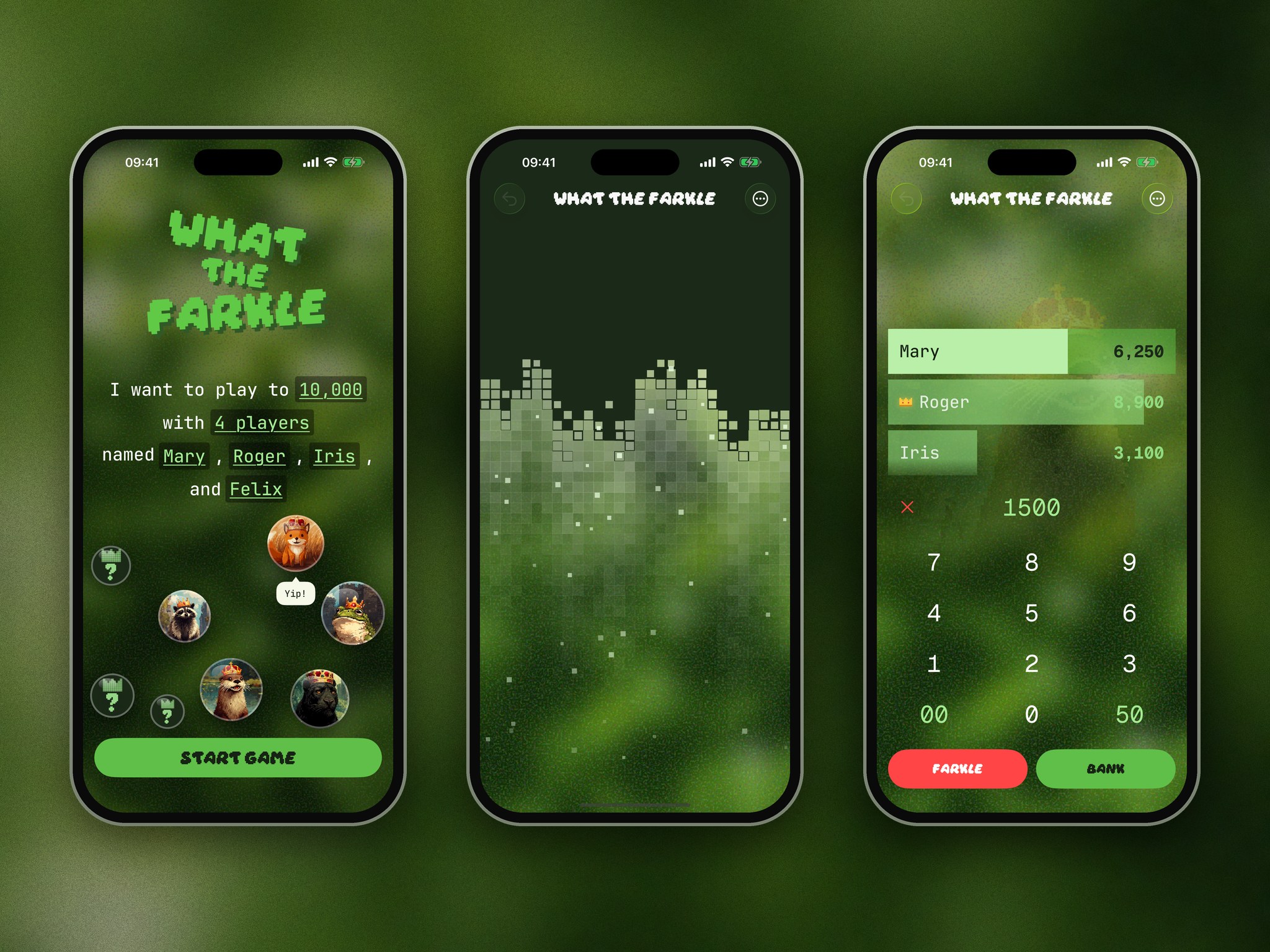
Setup in a sentence, a pixel build-in, and the redesigned scoring screen.
Focus on scoring
Scoring is the core of the game, so I wanted to make sure it was easy to use and understand. The stacked progress bars from version 1 stayed, but now the leader's progress is the whole game's progress bar: as someone closes in on 10,000, the foggy background slowly leans toward the animal hiding in it. A pixel crown sits on the leader's row and hops when the lead changes.
Banking a score sends the number flying up into the player's row. Every sound is synthesized in code, with no audio files, and the keypad is tuned to a pentatonic scale, so typing a score plays a little tune.
Banking a score (left) and a farkle (right).
Farkles are an event
Rolling nothing that scores is the most dramatic moment in Farkle, so the app treats it like one: red edges, a very quick rattle, and a one-liner. Some lines are personal, and they escalate on back-to-back farkles. Nothing blocks the next turn.
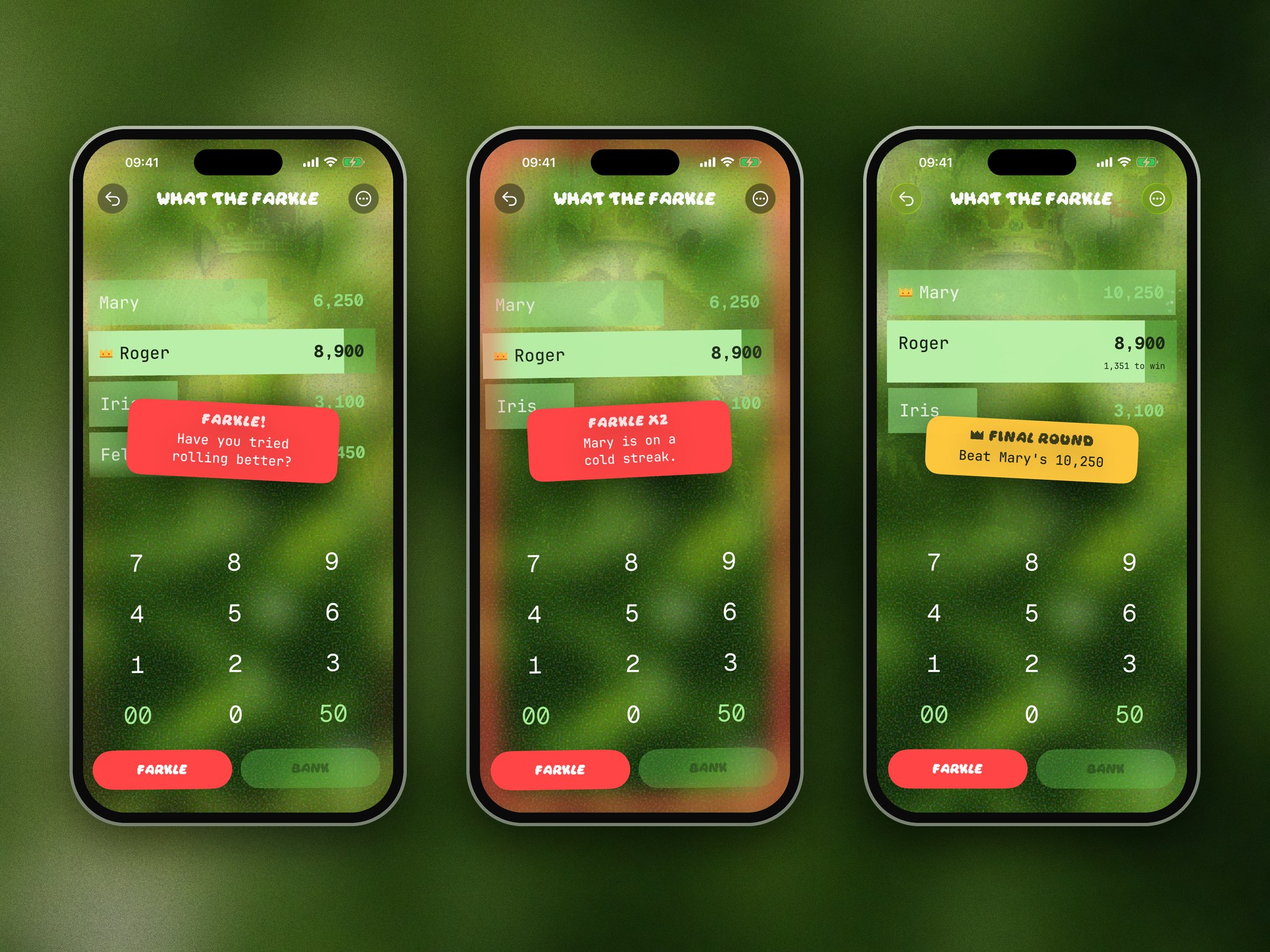
Farkles get a one-liner, streaks get called out, and the final round tells everyone what they need to beat.
The crown is the prize
Every animal wears a crown. When someone wins, the fog clears to reveal the crowned animal that's been hiding in the background all game, celebrating in a shower of confetti.
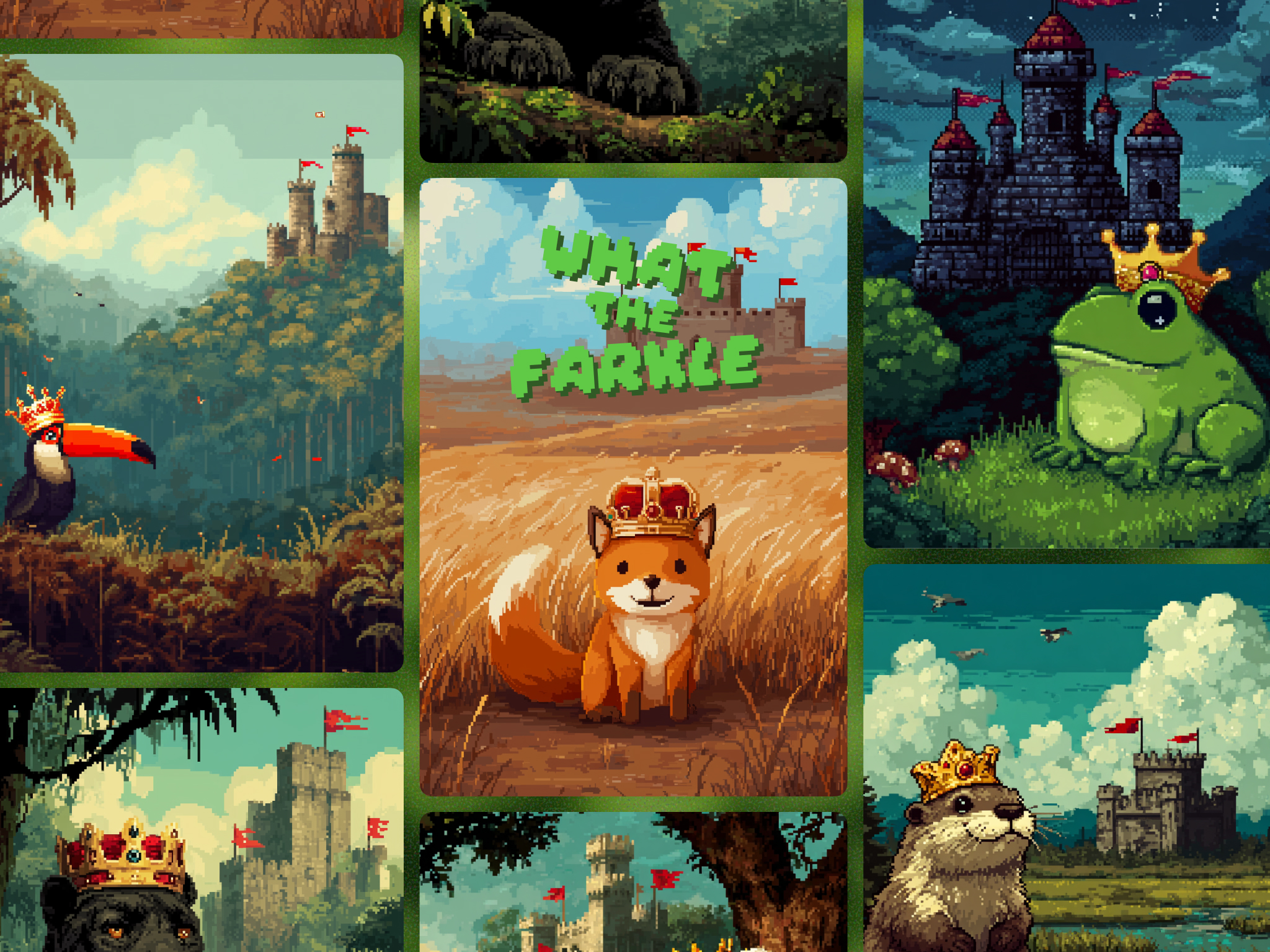
I wanted my Farkle app to be fun to elevate what would be a simple scoring experience.
The final round, a winner, and the fog building into a confetti-throwing otter.
Ongoing refinements
I'm still learning iOS development and how to translate my design ideas into code. I've made a lot of progress, but there's still a lot to learn. While we've only had a few paid downloads, I use the app almost every day to get a quick game of Farkle in with my wife or friends.
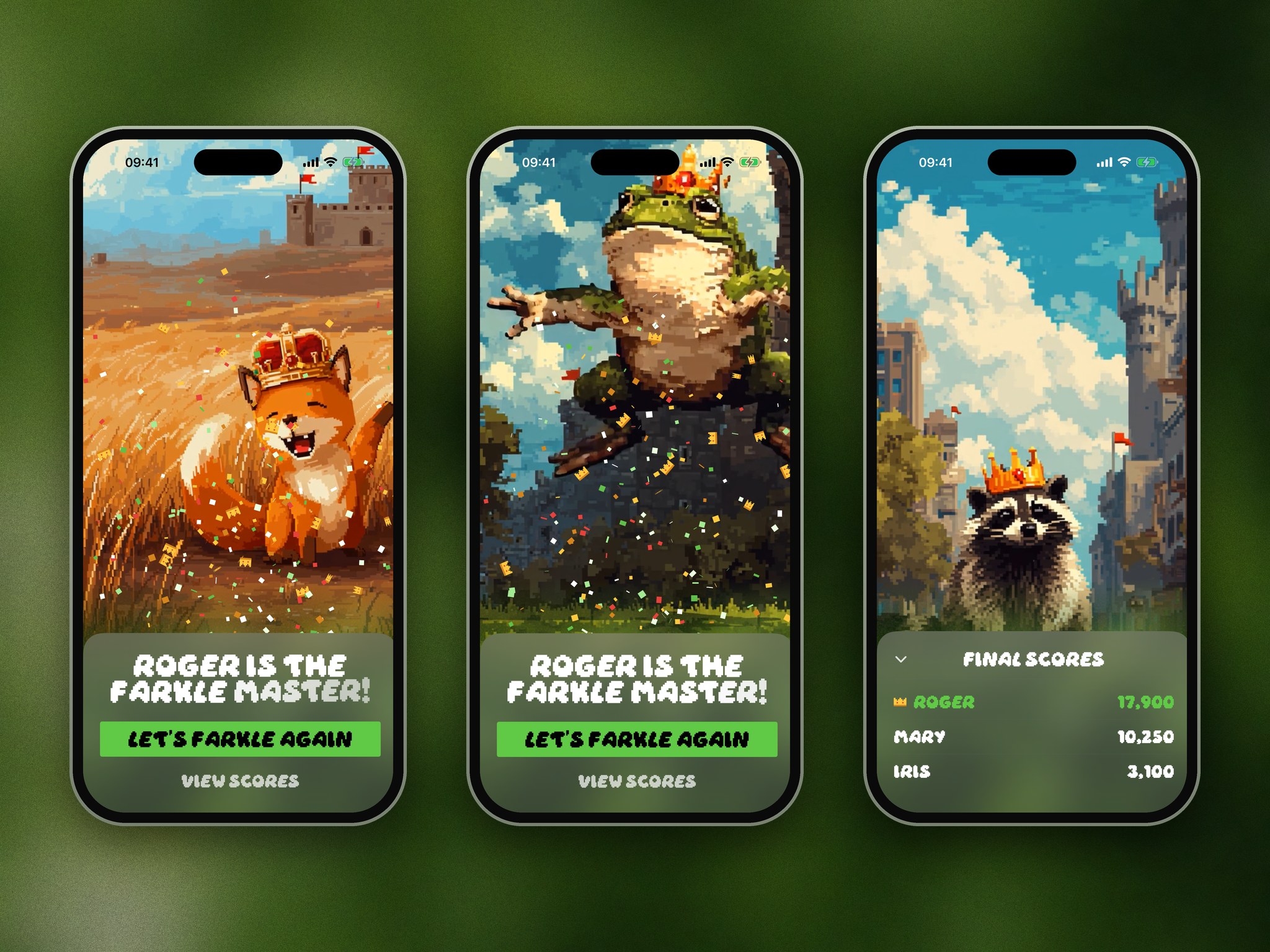
Every game ends with a different crowned animal, followed by the final scores.